2.5 × 3.5 in gift tag · FMD-000148
Lop Rabbit gift tag
A cheerful rectangular tag with space below for a short note.
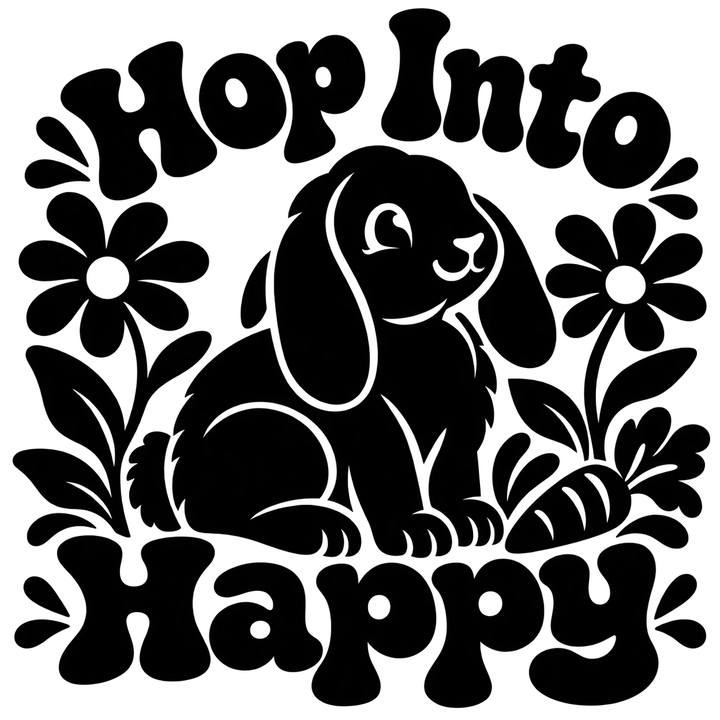
Artwork preview. The full original is 1254 × 1254 pixels with transparency.
The measured starting layout
- Visible artwork
- 2.000 × 1.977 in (50.80 × 50.23 mm)
- Trim size
- 2.500 × 3.500 in (63.50 × 88.90 mm)
- Source detail at this size
- 619 effective pixels per inch
- Page setup
- 12.7 mm (0.5 in) margins, 6.35 mm (0.25 in) gaps, plus a 20 mm scale-check area.
- Copies in the ready-made PDF
- 4 on US Letter · 4 on A4
PDF dimensions use the unrounded layout values. Displayed numbers are rounded. Artwork keeps its proportions; only fully transparent outer margins are removed from the working copy.
Free PDFs, no account or extra download step. Both contain a 50 mm ruler. Choose the matching paper size and Actual size / 100%.
What to inspect in this design
Check the rabbit’s eye and the counters inside “Hop.” The catalog title is Lop Rabbit; the lettering in the artwork reads “Hop Into Happy.”
Make a paper proof
Trim the rectangular tag; this is not a shaped rabbit cutout. Write the recipient below the picture. If punching a hole, leave it outside the printed art and keep enough paper around the edge.
- Download the PDF for the paper in your printer. Open it in a PDF viewer and turn off Fit, Shrink and other scaling.
- Print at Actual size / 100%. Measure the 50 mm ruler and the trim size above. If they differ, correct the print settings before continuing.
- Inspect the details listed above, then trim one copy and try it in its intended place.
- Only after that check, repeat on paper your printer supports. Keep your final size and printer settings with the project.
What the software check proves
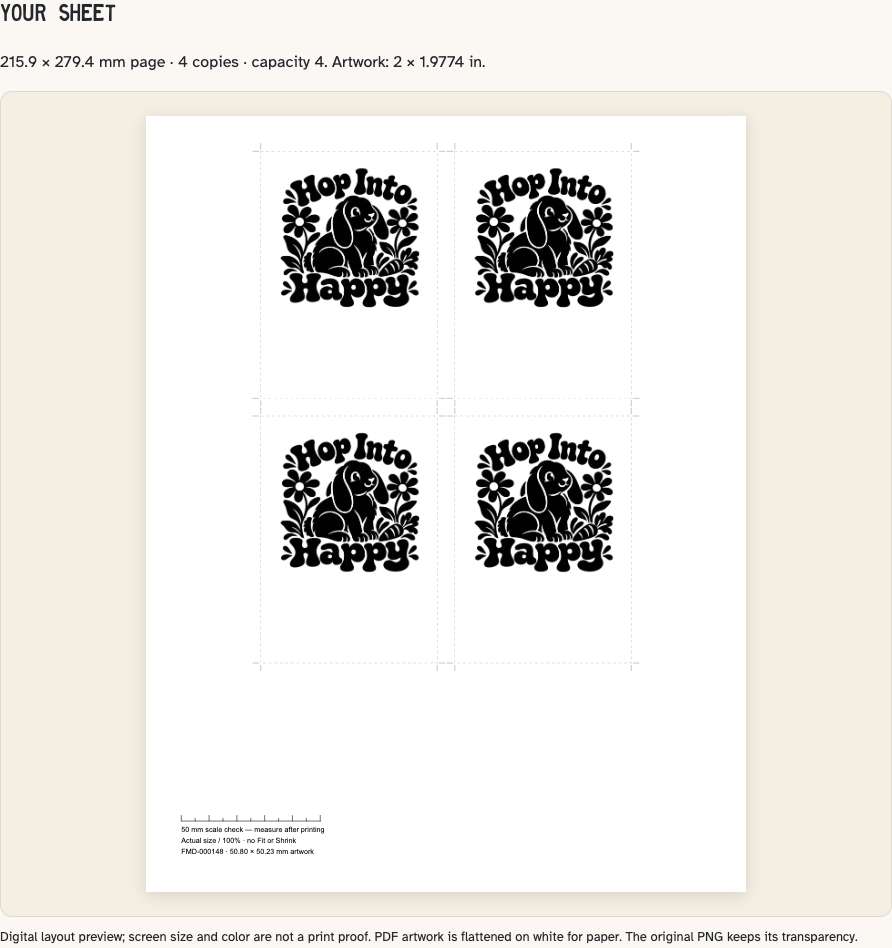
The PDF export was opened and checked digitally for page size, image placement, trim geometry and the 50 mm scale-check line. The screenshot below comes from the actual print planner using this original artwork. It is a digital layout, not a photo of a printed item. Paper feed, ink, physical size and finished results still depend on your equipment and need your plain-paper test.
Adapt it without stretching
Open Customize this print to change the units, artwork width or height, paper, margins and number of copies. The other artwork dimension follows automatically. Switch to Artwork only for a different rectangular arrangement; the tool keeps the PNG intact and tells you when the layout no longer fits.
This is a raster PNG paper workflow. It does not create vector cutting paths, material settings, machine registration marks or physical testing evidence. Read the sizing guide or troubleshoot the paper proof.